
How Mobile Arrests Become Records
Arrests inside the city usually start with Mobile Police Department officers, who answer calls, run traffic enforcement, and work investigations. Other agencies can arrest people within city limits too. Whoever makes the arrest writes the incident or arrest report. When MPD takes a person to Mobile County Metro Jail and the jail accepts the booking, the Mobile County Sheriff's Office opens the custody entry. MCSO calls Metro Jail the detention facility for both Mobile County and the City of Mobile, and MPD arrest releases often note the transport there.
That split is why one search rarely settles everything. An MPD report covers the police event itself. A jail entry answers booking and current custody questions. The court docket comes later and carries the prosecution and its final outcome. Release, transfer, a different arresting authority, or plain processing lag can all shift where a name appears. A missing name proves nothing. Confirm the arrest with the agency that made it and the facility that received the person.
Where Mobile Arrests Are Published
Start with official sources, not copies or news summaries. Each channel below covers a different stage of an arrest, so they are not interchangeable.
| Channel | What it covers | Photo status | Access |
|---|---|---|---|
| MCSO 24-Hour Booking | Same-day county bookings | Not publicly confirmed | Official wrapper |
| MCSO Who’s in Jail | Current county custody | Not publicly confirmed | Official wrapper |
| MPD arrest news | Selected city cases, not every arrest | Story-dependent | Official archive |
| Municipal case search | Mobile traffic and criminal cases | No booking gallery | City-linked search |
| Local news and aggregators | Selected stories or copied county entries | Varies | Unofficial; confirm at source |
The direct MCSO-AP host serves authorized criminal-justice users only. The public should rely on the sheriff's open wrappers rather than attempt any access gate. The official MCSO app page also promotes Who's in Jail and warrant tools, though the stores may not carry the app and photo display is not guaranteed.
Mobile Arrest News Is Selective
The MPD arrest-category archive earns its keep for case narratives. It is not a daily roster. What you get are selected announcements plus older archive pages, so a quiet archive says nothing about whether an arrest happened. Treat it as police context and check it only after the booking and custody sources. The official MPD news stream shows the gap between an agency's story feed and a complete arrest record.
The MPD arrest-news page displays the official city source in its story-based format.
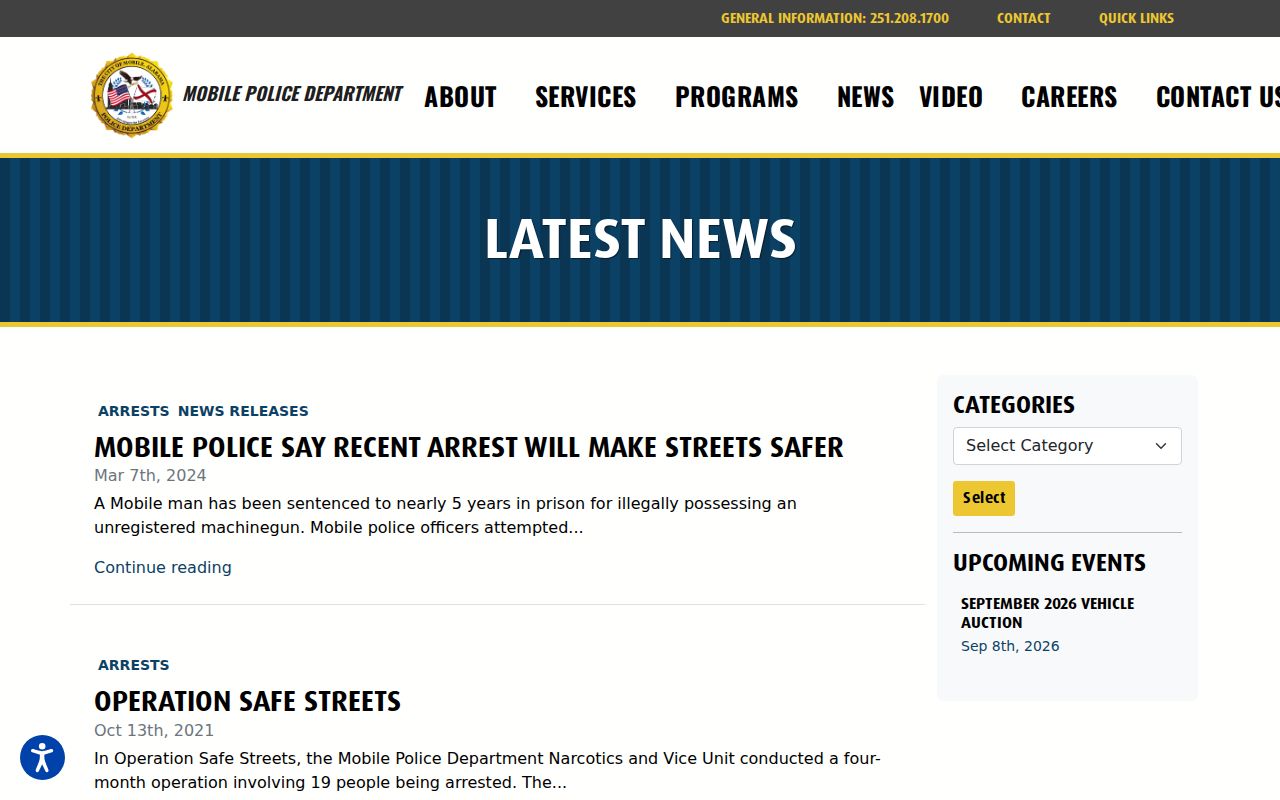
The page can point you to selected MPD releases, but it is never a list of everyone arrested in Mobile.
Find Someone Arrested in Mobile
Trace the record from the newest event backward to the agency and the court file:
- Check Arrested Today for the county’s same-day booking window. Allow time for intake and data entry.
- Check the official Who’s in Jail wrapper for current Metro Jail custody.
- Search the MPD archive only for a selected city announcement.
- Use MPD Records for the police report and MCSO Records for a county booking record or requested photograph.
- Follow the case through the municipal case search or the appropriate Mobile County court.
The Mobile County recent-arrests guide digs deeper into the county roster, booking-photo limits, warrants, and records law. For several days of context instead of a same-day check, turn to Arrest Reports. A charge label is only the first word in a case. Charges can be amended, dismissed, or resolved on terms a booking line never shows.
Request Mobile Police Arrest Records
MPD's Records and Forms page puts the Records Unit at Police Headquarters, 2460 Government Boulevard, Mobile, Alabama 36606. The published phone is 251-208-1991, with weekday hours of 8:00 a.m. to 5:00 p.m. Accident and incident reports can be requested online or in person. Listed report types call for a case number or exact location, and the page publishes a $15 fee for incident or accident reports. Confirm the current charge and accepted payment before you go.
Ask MPD for the police-written incident or arrest report. If the person was booked into Metro Jail, send a separate request for the county booking record or photograph to MCSO Central Records. The sheriff's form lists Records at 251-574-8660 and accepts completed requests by email at recordsrequest@mobileso.com or by mail to the Records Division at 510 South Royal Street. The sheriff lists no public photo display, so assume nothing about a picture being online or releasable. Fees, redactions, and record custody all depend on which agency holds which record.
Mobile Cases and Court Outcomes
MPD links a municipal traffic and criminal case-search interface run by Tyler Technologies. Search options include name, date of birth, citation, docket, police case, warrant, plate, state, and VIN. That reach helps when a booking search turns up only partial identifying data. Keep in mind it is a case system, not a jail roster, and any result should be matched carefully to the right person.
Some cases move to Mobile County District or Circuit Court instead of municipal court. The Thirteenth Judicial Circuit offers court access and record-request routes. The disposition is where the legal story ends. A booking record only captures the intake itself.
Mobile News and Archive Coverage
New outlets shape what the public sees about Mobile County arrests. FOX10's Mobile County section runs selected crime and arrest stories, and its Fugitive Files segments sometimes echo wanted information supplied by agencies. Call News takes a different approach, publishing a "Public Record Lockup" feature built from sheriff's office data. Neither is an official roster. Editors decide what runs, when it runs, and how corrections appear, so a story can lag behind or drift from what the arresting agency actually holds.
Unofficial sites crowd the same space. RecentlyBooked, Busted Newspaper, Arrests.org, and Mugshots.zone each keep Mobile County pages of their own. Entries there can linger long after a person is released, with stale labels and old booking photos attached. Treat their content cautiously. If something needs fixing, start with the agency or court that created the record, then take solid documentation to each publisher one by time.
After a Mobile Arrest
An arrest in Mobile County can go several directions after booking. A person might be released, moved to another facility, held on a detainer, or sentenced. A detainer is simply another authority's request to hold someone or get notified before release. Release creates its own puzzle. The name vanishes from the current roster even though the booking record, police report, and court file all still exist. For custody alerts, VINE Arrest Check works well, but confirm the jurisdiction actually participates. Alabama's victim-notification portal leans post-conviction and ADOC, so treat it as a sentenced-custody tool rather than a Mobile County pretrial feed.
Custody often shifts between systems. A person sentenced to state time will show up in the Alabama Department of Corrections Inmate Search, searchable by AIS number or full name. That database tracks current ADOC prisoners, not fresh Metro Jail bookings. Federal and immigration custody each need their own federal locators. Because movement between systems is routine, write down the date, the agency, and the identifier every official source gives you.
Match the Mobile Record Carefully
Names alone will mislead you in Mobile County. Two people can share one, and recent arrests produce lookalike entries fast. Anchor every comparison to a date of birth, a booking date, an agency, a case number, or a court docket. Log which official source gave you each fact, and note when you checked it. Each tool answers one question. The same-day feed covers a narrow booking window, the current roster shows present custody, and the docket tracks the case itself. No single source replaces the rest. When two entries clash, take the identifier to MPD Records or MCSO Records and ask which office actually holds the record. Never pass along a shaky match as fact.
Old news keeps its shelf life. A police story can stay searchable years after the arrest and long after custody ends, and a roster entry may show only the charge as booked, not as filed in court. Pull the court record before concluding anything, and keep any correction the agency sends you. Those habits keep a custody check from blending into an archive search.
Mobile Police and Jail Custody
Know which number answers which question in Mobile County. MPD Records handles reports written by city officers. The MCSO automated inmate-information line, 251-574-6412, covers current Metro Jail custody, and Metro Jail administration sits at 251-574-4702. An automated phone line proves a phone channel exists, not that a public web page displays every field or photo. If a recent booking is missing online, jot the time you checked and call the office that handles that stage.
Addresses deserve the same care. MCSO's central office and Records Division both use 510 South Royal Street, Mobile, Alabama 36603. The sheriff's Metro Jail page lists 450 St. Emanuel Street as the jail lobby address for visitation. Different doors, different purposes. Call ahead before driving over, especially if you want a record rather than a visit with someone in custody. A precise question naming the agency, the booking date, and the record type beats a sweeping request tied only to a name.
Keep two things apart during any urgent check: the MCSO Records number and the MPD case number. That habit lets staff route your question quickly instead of merging a police report, a jail entry, and a court file into one record.